Television & broadcast
WAV · 48 kHz · 24-bit

PROFESSIONAL AUDIO SOFTWARE
App StoreLOUDNESS DELIVERY FOR macOS
A fast, standalone macOS application that previews, analyzes, normalizes and verifies complete batches—with local AI-powered cleanup when speech needs help.
0%Recommended Starting Points
WAV · 48 kHz · 24-bit
WAV, MP3 or FLAC
WAV · stereo
Always follow the official specification supplied by the broadcaster, platform or client.
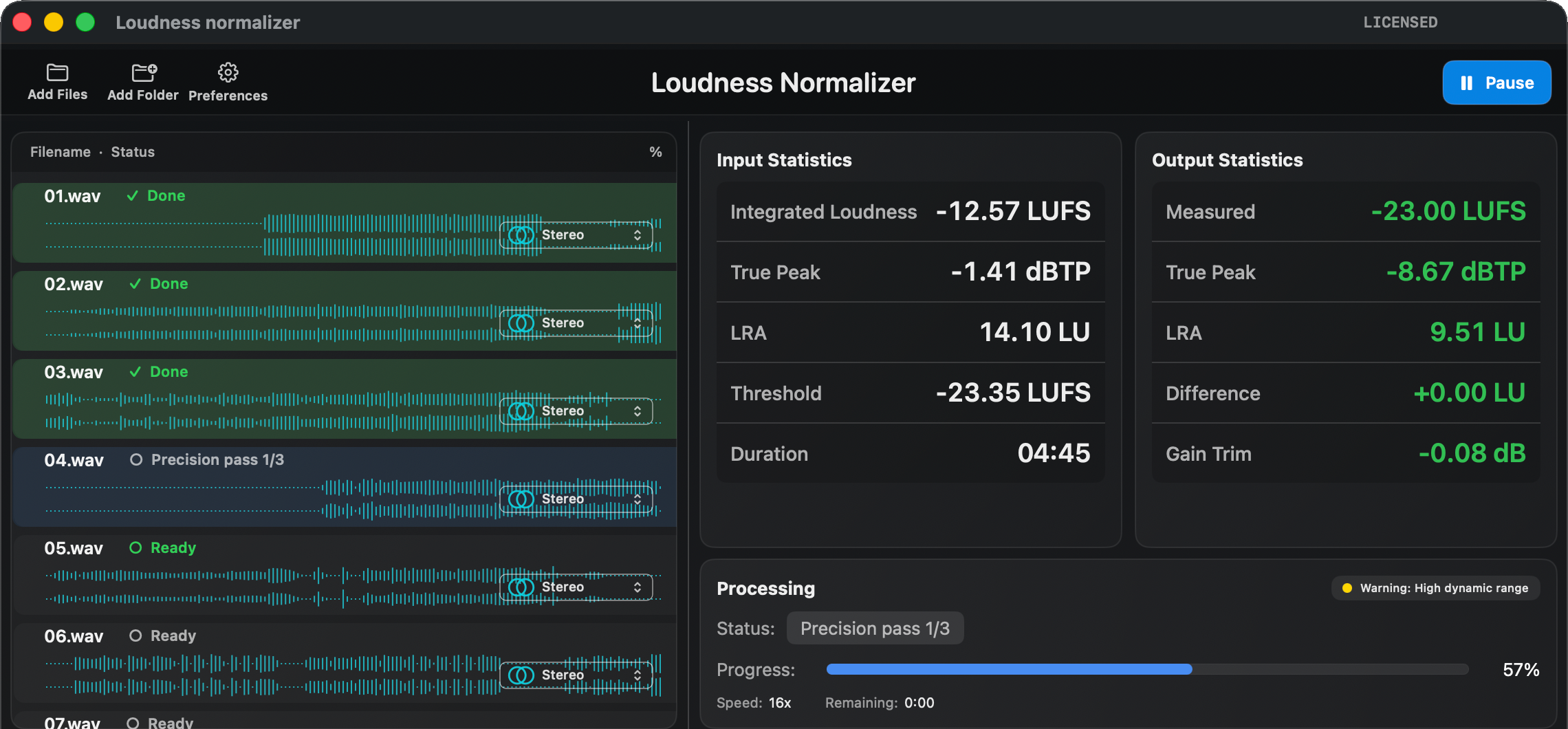
A complete, focused workflow without a DAW, plug-in host or cloud processing service.
Prepare a single recording or move an entire queue through the same repeatable process.
Speech Focus AI helps reduce background noise while production audio stays on the Mac.
DELIVERY WITH CONFIDENCE
Loudness Normalizer analyzes the source, applies precise correction, exports the selected format and measures the finished file again. Input and output values remain visible side by side, so the result never has to be guessed.
0%PRECISION PROCESSING
Compare the original recording with the verified export and confirm that the requested target and True Peak limit were reached.


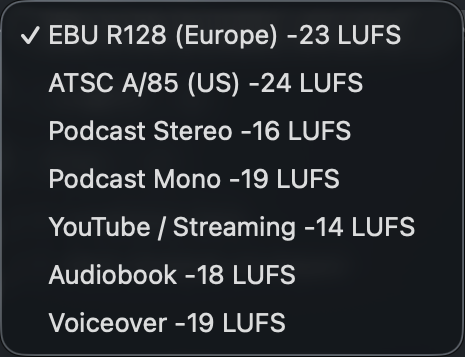
PROFESSIONAL PRESETS
Ready-to-use targets cover common broadcast, podcast, voiceover and online delivery workflows. Custom settings remain available when a client or broadcaster specifies something different.
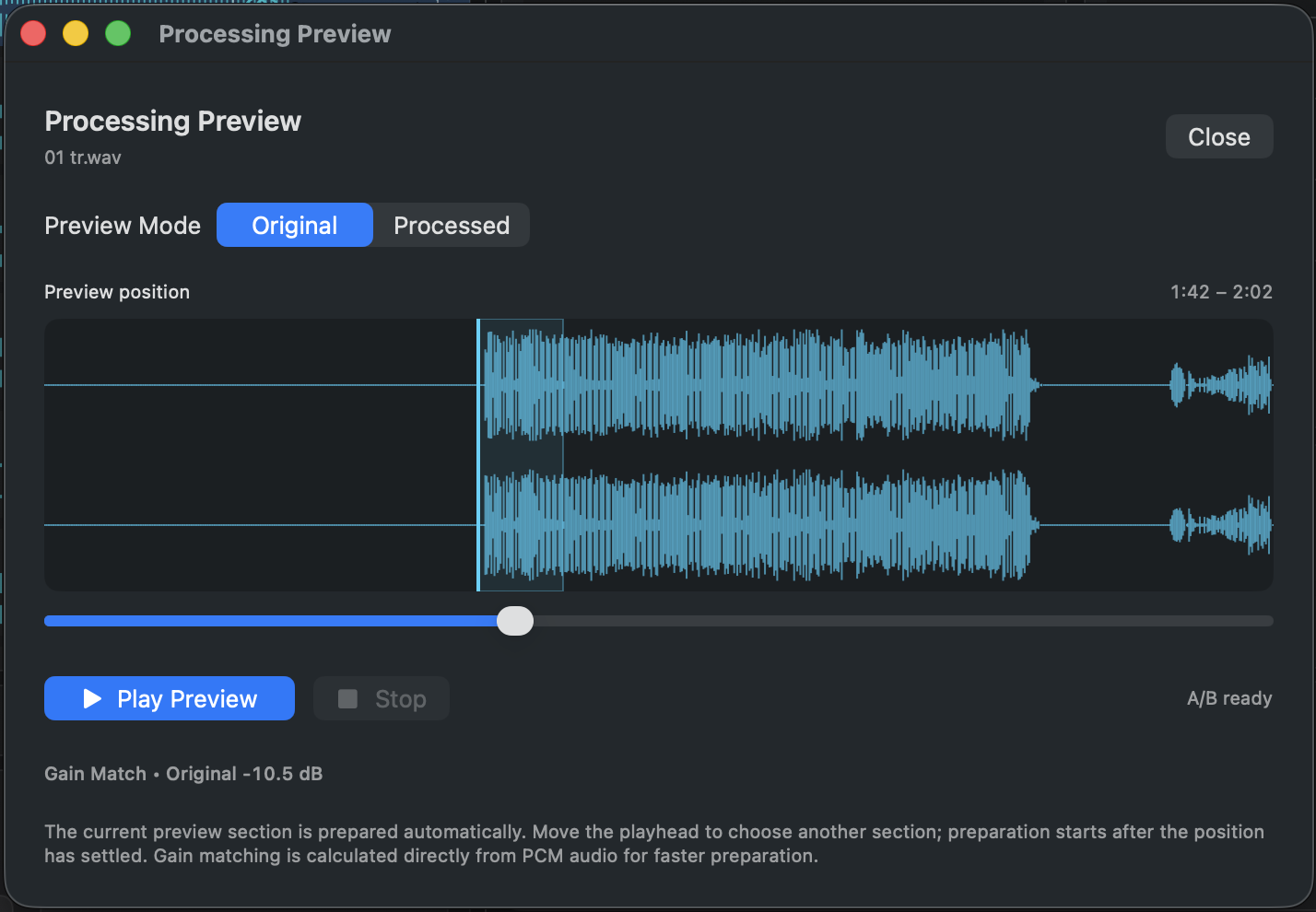
GAIN-MATCHED A/B PREVIEW
Choose any section of the selected file and switch instantly between Original and Processed playback. Loudness matching keeps the comparison honest, while the stereo waveform and moving playhead make the audition easy to follow.
BATCH WORKFLOW
Add the recordings once, choose the destination and let every file move through the same repeatable process.
Drop individual files or complete folders into the processing queue.
Select the loudness target, True Peak limit and required output format.
Analyze, correct, encode and verify every recording automatically.
Compare final measurements and reveal the completed output files.
INTELLIGENT CLEANUP
Speech Focus AI uses artificial intelligence to reduce distracting background noise and improve spoken-word clarity before loudness correction. The AI runs locally on the Mac—production audio does not need to leave the standalone application.
BETA Always review critical broadcast material before delivery.
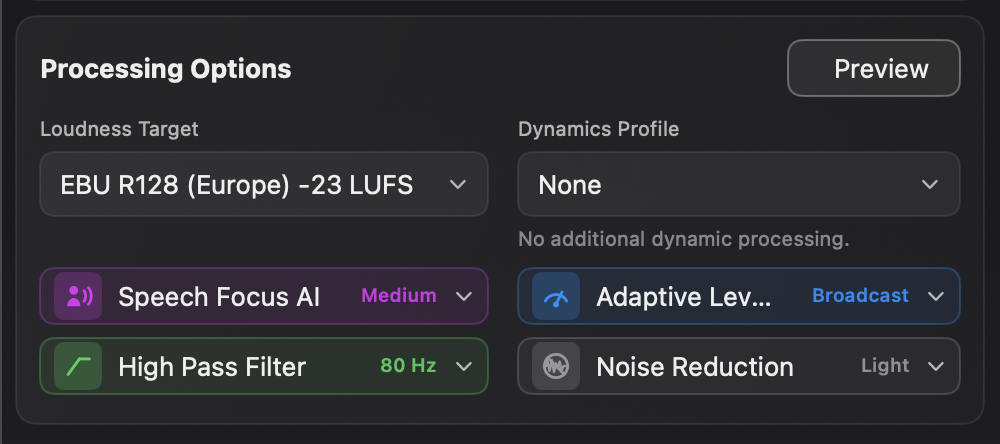
COMPLETE OUTPUT CONTROL
Preserve the source format or export WAV, AIFF, MP3 or FLAC with project-specific settings.
Choose 16-bit or 24-bit PCM, sample rates up to 192 kHz and MP3 bitrates up to 320 kbps.
Select an output folder, add automatic filename suffixes and optionally create a mono mixdown.
Every result is written as a new file. Original recordings remain untouched.
Analysis, AI enhancement and loudness processing all run locally on the Mac.
FORMATS & SYSTEM REQUIREMENTS
Choose the source and delivery format the production requires, with the complete workflow running locally on an Apple silicon Mac.
WAV · AIFF · MP3 · FLAC
WAV · AIFF · MP3 · FLAC
16-bit or 24-bit PCM · up to 192 kHz · MP3 up to 320 kbps
macOS 15 or later · Apple silicon
Every export is written as a new file. Original recordings remain untouched.
AVAILABLE FOR macOS
Precise normalization, verified measurements and fast batch processing in one native Mac application.
Download on the Mac App Store