Compare before saving.
Prepare a correction locally, compare Original with Phase Correct and check the result in mono. Your source audio stays untouched.

PROFESSIONAL AUDIO SOFTWARE
App StoreCUE-BASED PLAYBACK FOR macOS
79Signal PlayerProfessional audio playback for theatre, concerts, broadcast and live productions where speed, confidence and predictability matter.
AVAILABLE NOW · 79SIGNAL PLAYER 1.2
Player 1.2 brings adaptive phase correction and a free companion for local playback control.
Prepare a correction locally, compare Original with Phase Correct and check the result in mono. Your source audio stays untouched.
Pair Player Remote using the QR code displayed on your Mac. Follow the cue list, waveform, counters, Notes and meters.
Use GO, Pause, resume, Fade and Stop from the Remote. A disconnected controller does not stop playback on your Mac.
Player 1.2 and the separate free Player Remote are available on the App Store. Live Remote control and phase correction require Standalone mode. Player Lite remains the separate standalone iPad player.
Explore Player RemoteALSO INCLUDED · LINKED PLAYBACK
A backing track for the audience. A click for the performer. Link two neighbouring cues, keep their outputs separate, and run them together.
Paired tracks start from a shared clock, with coordinated Pause, Stop and Fade. The longer track determines when the pair finishes.
Send one track to MAIN and its partner to BUS1. Disconnect the pair and the secondary track returns to MAIN.
Track links are saved with the show. A paired waveform view keeps both tracks visible, with a clearer, more compact cue list.

Paired playback requires separate MAIN and BUS1 output pairs on the same audio device.
Phase tools and linked playback require Standalone mode. Linked playback requires distinct output pairs on one audio device; paired looping is not supported. Original audio files are not overwritten.
VERSION 1.2 · ADAPTIVE PHASE CORRECTION
Inspect stereo phase correlation, compare the original and corrected playback, and listen in mono before committing your choice. Your source file stays untouched.
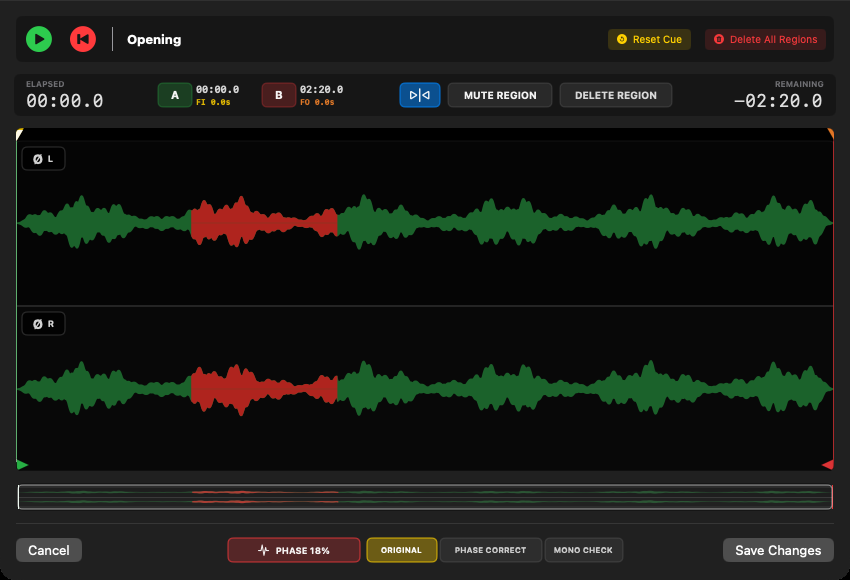
Correlation warnings are not always recording faults. Correction can change the stereo image; compare by ear in stereo and mono. The PHASE percentage describes the original analysis, not a measured improvement.
PURPOSE-BUILT
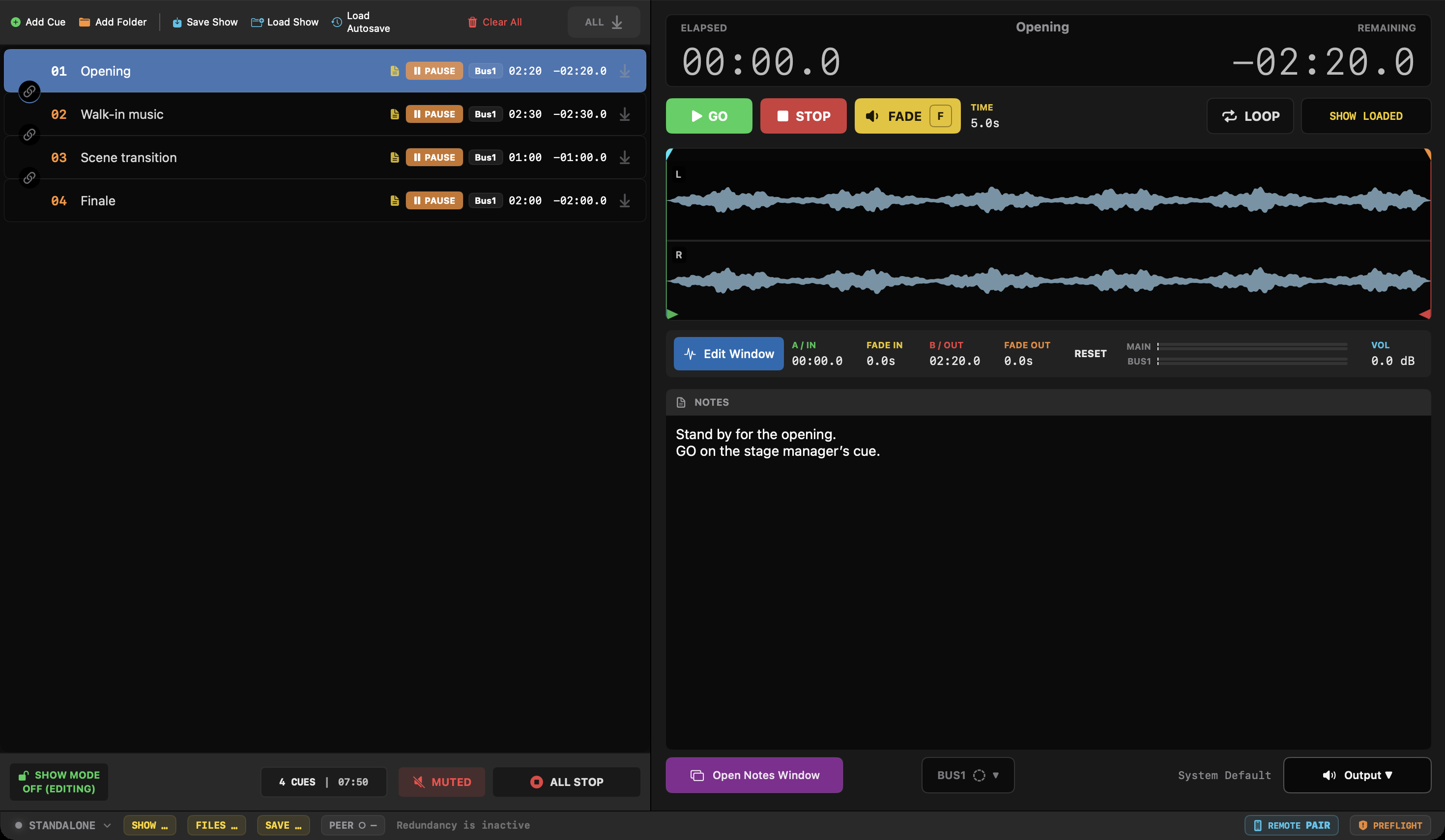
Build a cue list, prepare every transition and run the show from a clear interface designed to keep the operator focused.
LIVE OPERATION
Keep the cue list, waveform, elapsed and remaining time, transport controls, output routing and notes visible in one workspace.

NON-DESTRUCTIVE EDITING
Edit playback directly on the waveform without changing the original audio file.
SHOW MODE
Show Mode disables accidental editing and leaves the essential playback controls active. The interface becomes a dedicated live-operation surface.

THE COMPLETE TOOLSET
WAV, AIFF, CAF, MP3, AAC, M4A and FLAC playback without pre-converting source files.
Drag-to-reorder cues with names, notes, timing, fades, volume, routing and Space-key action stored per cue.
Automatic show-state saving and recovery after an unexpected interruption.
79Signal Player pins playback directly to the selected device, stops safely on disconnect and never silently falls back to the Mac speakers.
Route cues through the main output or an independent BUS1 channel pair, with separate meters, test tone and XRUN diagnostics.
Synchronized Master and Slave systems with show validation, automatic discovery, live monitoring and Take Over after connection loss.
FILES & SYSTEM REQUIREMENTS
79Signal Player plays common production audio formats directly, so a show can be assembled without a separate conversion step.
WAV · AIFF / AIF · CAF · MP3 · AAC · M4A · FLAC
Add supported files directly to the cue list while the original audio remains untouched.
macOS 13 Ventura or later
Apple silicon and Intel
FULL-FEATURE DEMO
The demo includes playback, non-destructive editing, Show Mode, MAIN and BUS1 routing, and the complete Master–Slave redundancy workflow. A one-time full unlock removes the eight-cue limit. No subscription and no separate PRO edition.
See demo and full license →AVAILABLE FOR macOS
Start with the complete eight-cue demo. Unlock unlimited cues later with a one-time purchase inside the same app.
Download free on the Mac App Store