From your files to your next cue.From your files to your next cue.
A standalone iPad app. Not a remote control. Your imported audio plays locally, without a Mac connection.
01 / PROJECTS
Save. Recall. Repeat.
Save your cue list, notes and playback settings as a project, then reopen it for the next show. Use Save As for another version, or Revert to Last Save to recall your saved setup. Export and import projects with their audio in a single .79show package.
02 / CUE FLOW
Auto Pause or Auto Follow.
Choose the pace for each cue. With Auto Follow off, playback stops at the end and the next cue waits for your GO. Turn Auto Follow on to start the next cue automatically when the current one finishes.
03 / PROTECTION
Show Mode & Lock.
Show Mode locks editing while GO, STOP and FADE remain available. Lock individual tracks to protect their settings, order and notes, or use All Lock / All Unlock for the entire cue list. Locking does not stop playback.
EDIT WINDOW
Shape the start. Soften the finish.
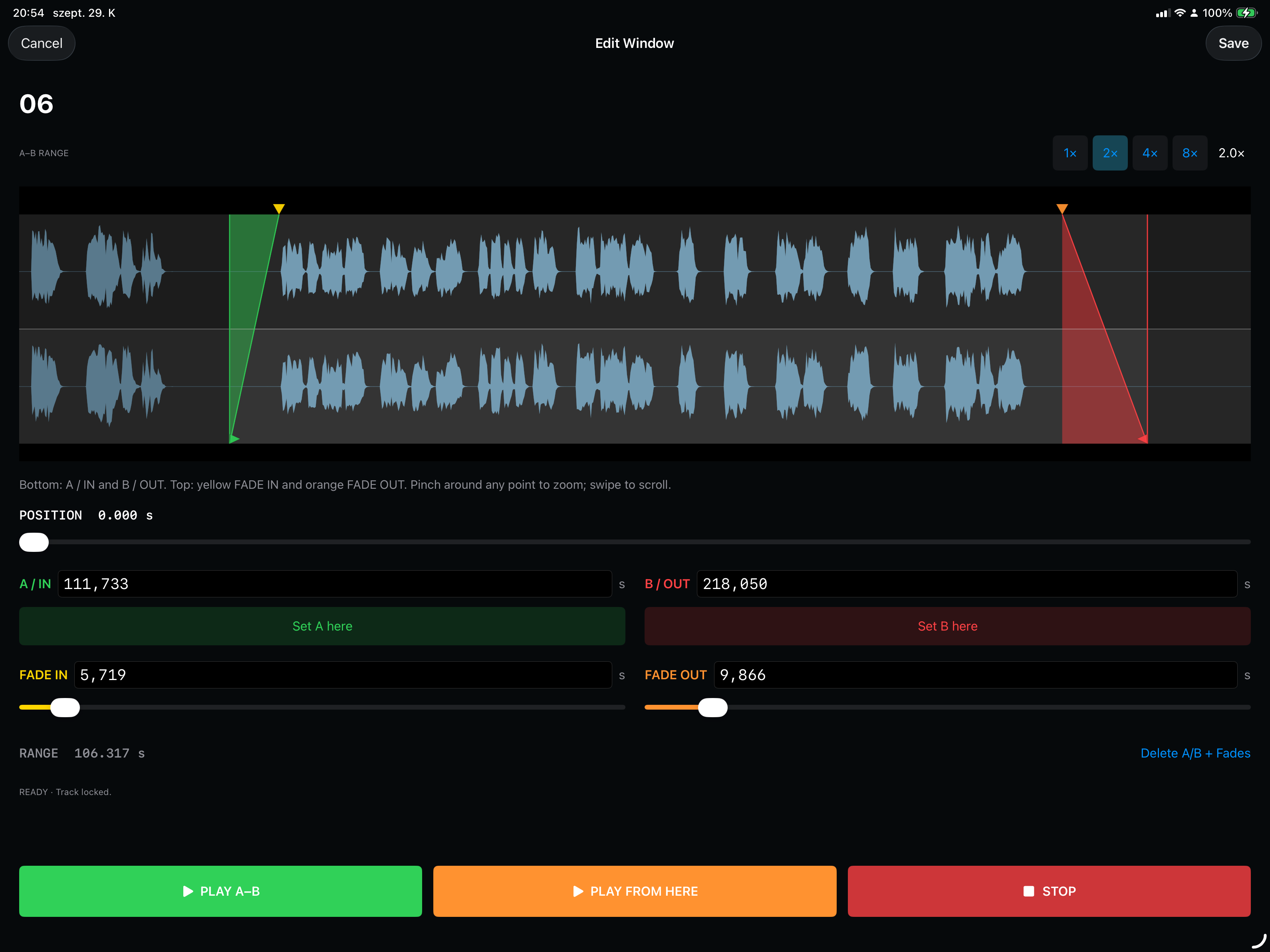
Set your A/B playback range and adjust the fades on the waveform. Zoom in for a closer look, then audition the range before saving.
Edit Window · Actual iPad interface · Development preview
PLATFORMMade for iPad
Requires iPadOS 17.0 or later.
PLAYBACKOne cue at a time
A focused stereo workflow.
PROJECTSYour show travels with you
Local saving and .79show import / export.
79SIGNAL PLAYER LITE
A smaller setup. A clear next cue.A smaller setup. A clear next cue.
Free to download and use with up to 4 cues per show. All playback and editing features are included. An optional one-time Full Unlock purchase removes the cue limit. No subscription.